What's new · 2026.10.14
Your ideas, at a glance
Your projects page now shows the ideas you voted for and where they stand, and Ideas board emails come with a one-click way to stop them.
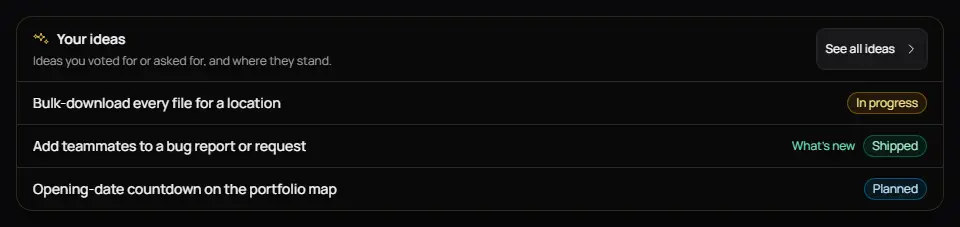
1Your ideas on your projects page New
A small card on your projects page lists the ideas you voted for or asked for, with their status: Under review, Planned, In progress or Shipped. Shipped ideas link to What's new. If you haven't voted yet, the card takes you to the Ideas board.
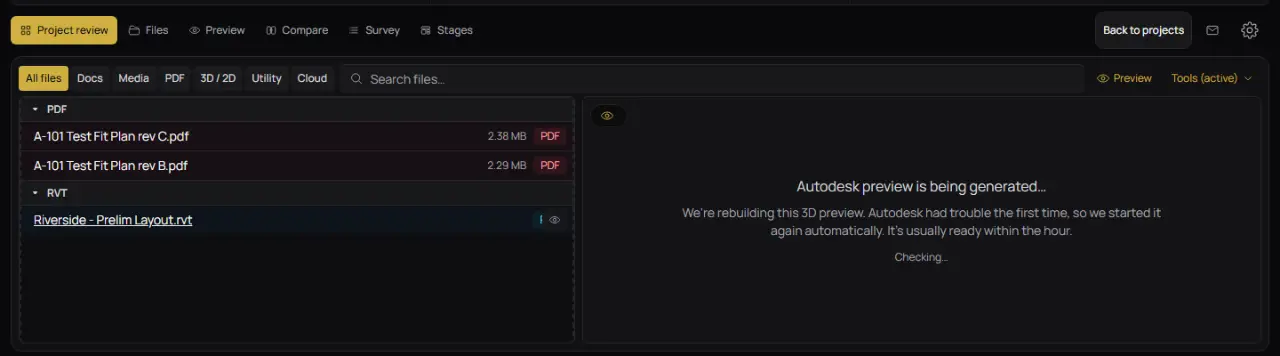
2A calmer message while a 3D preview rebuilds Fixed
When Autodesk can't build a 3D preview the first time and Brand Builder restarts it automatically, the viewer now says the preview is being rebuilt instead of showing an error. If a preview failed recently, it says we'll try again automatically, and you can still restart it yourself.
Also in this update
- Ideas board emails have a one-click link to stop them, and a new Ideas board setting in your notification settings.
- Opening an unsubscribe link now asks before turning emails off, and the Turn off button works in every browser.